
Note
Go to the end to download the full example code.
Deconvolving XRT Images#
This example demonstrates deconvolvoing X-Ray Telescope (XRT) images using the
xrtpy.image_correction.deconvolve function in XRTpy.
import matplotlib.pyplot as plt
import sunpy.map
from sunpy.net import Fido
from sunpy.net import attrs as a

from xrtpy.image_correction import deconvolve
We will search for XRT data from the Virtual Solar Observatory (VSO) and fetch the first result.
result = Fido.search(
    a.Time("2012-06-05 21:58:39", "2012-06-05 21:59:00"), a.Instrument("xrt")
)
data_file = Fido.fetch(result[0])

# Retry any downloads that failed transiently (e.g., VSO/SDAC hiccups).
# Calling fetch on the previous result only re-attempts missing files.
for _ in range(3):
    if not data_file.errors:
        break
    data_file = Fido.fetch(data_file)

if len(data_file) < 1:
    raise RuntimeError(
        f"Expected 1 XRT file from VSO, got {len(data_file)}. "
        f"Download errors: {data_file.errors}"
    )
Typically most deconvolve routines use the Richardson-Lucy deconvolution algorithm.
xrt_map = sunpy.map.Map(data_file)
deconv_map = deconvolve(xrt_map)
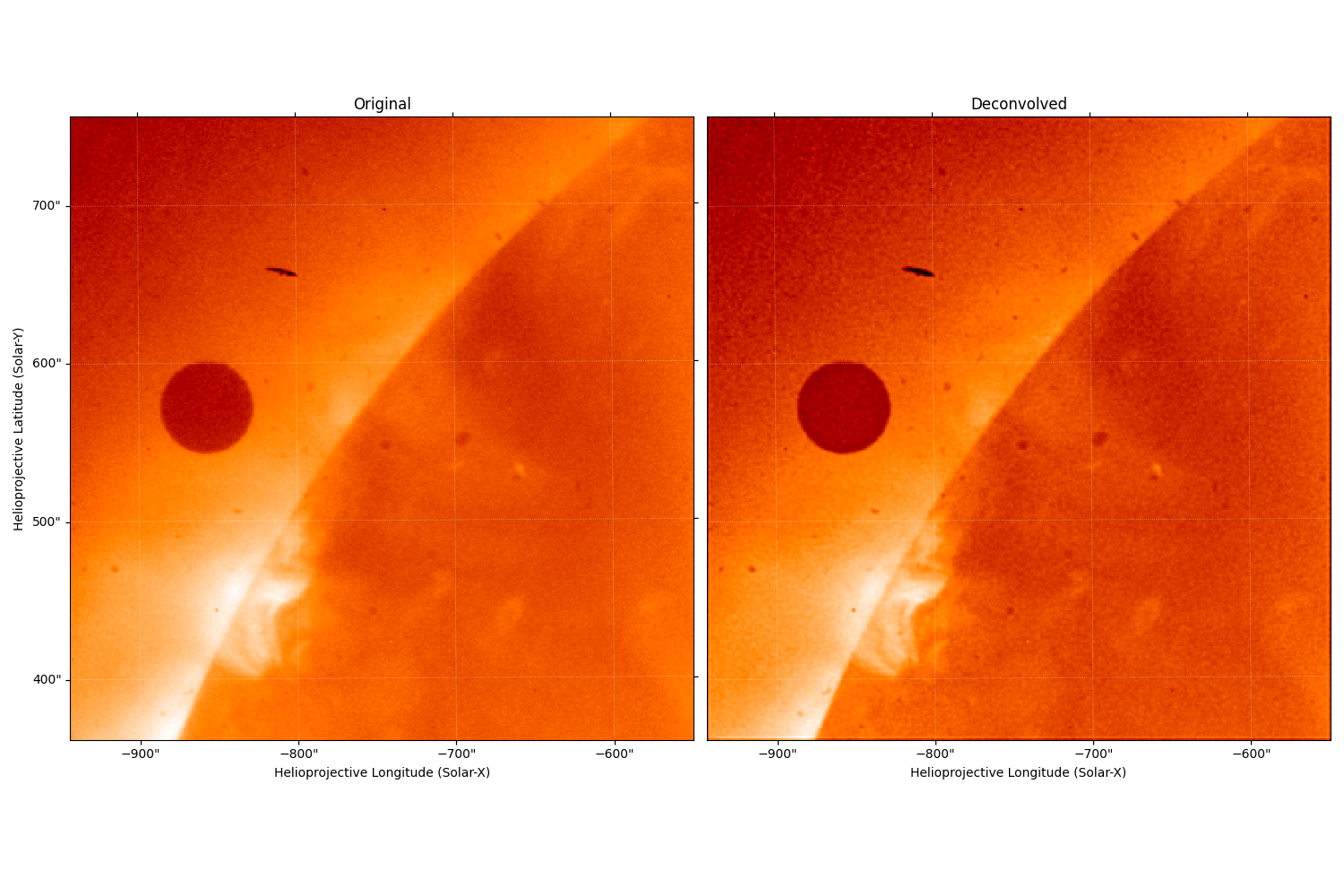
To see the effects of the deconvolution we plot both the before and after images.
fig = plt.figure(figsize=(15, 10))

ax = fig.add_subplot(121, projection=xrt_map)
xrt_map.plot(axes=ax, title="Original")
ax1 = fig.add_subplot(122, projection=deconv_map)
deconv_map.plot(axes=ax1, title="Deconvolved")

ax1.coords[1].set_ticks_visible(False)
ax1.coords[1].set_ticklabel_visible(False)
fig.tight_layout()

plt.show()
Total running time of the script: (0 minutes 14.952 seconds)